
Scan games · Analyze moves · Improve faster
Point. Scan.
See the winning move.
ChessCopilot reads any chessboard — a photo, a screenshot, even a handwritten score sheet — and shows your best move in seconds. Powered by the Stockfish engine, right on your phone.
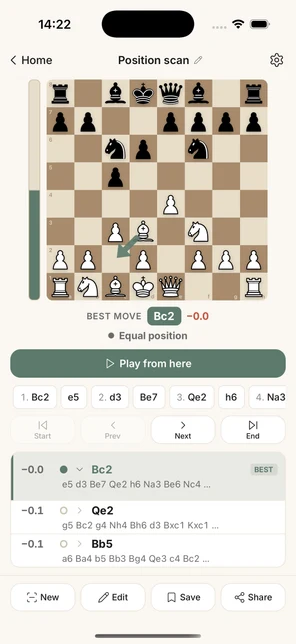
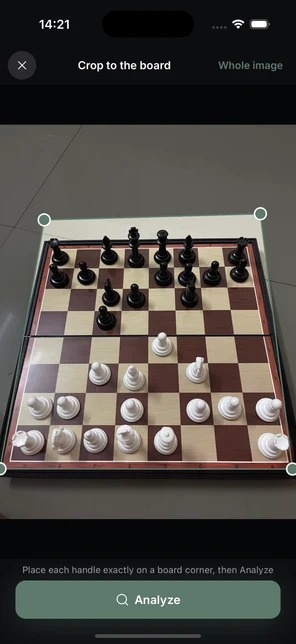
From photo to plan in seconds
Three taps to a better move
No setup, no entering pieces by hand. ChessCopilot does the reading — you make the move.
Point your camera
At a real board, a screenshot, or a paper score sheet — angled and imperfect is fine.
AI reads the position
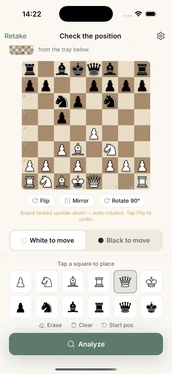
Vision AI recognizes every piece and rebuilds the board exactly — confirm it in one glance.
Stockfish finds the move
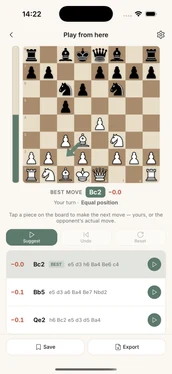
The world-class engine returns the best move, the evaluation, and the lines behind it.
Position scan
Reads the board others can't.
Point your phone at a real wooden board — tilted, shadowed, mid-game — and ChessCopilot rebuilds it exactly, then shows the strongest move and how much it wins by.
- ✓ Physical boards photographed at an angle, screenshots, and diagrams
- ✓ Auto-corrects orientation and flags any square it's unsure about
- ✓ Get the position as a FEN string, the best move, and the evaluation
- ✓ "Play from here" to explore the position move by move
Score-sheet digitizer
Turn paper into a full game review.
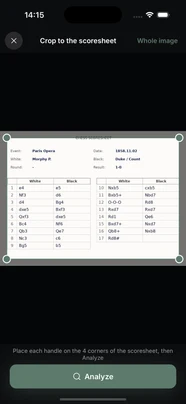
Scan the score sheet from your last tournament game. ChessCopilot reads the handwriting, rebuilds the game, and reviews every move with the engine.
- ✓ Reads handwritten and printed score sheets
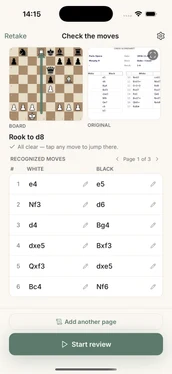
- ✓ Validates the game and fixes notation slips automatically
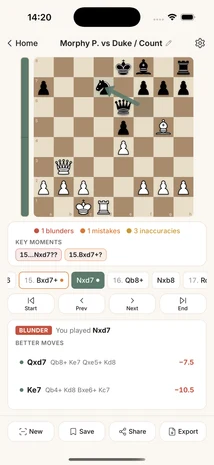
- ✓ Flags your blunders, mistakes, and the key turning points
- ✓ Export as PGN or open straight in Lichess & Chess.com
A peek inside
Calm, clear, quick
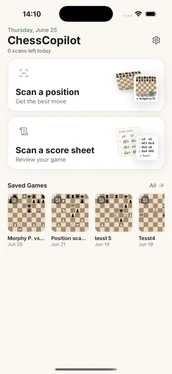
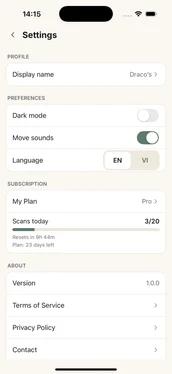
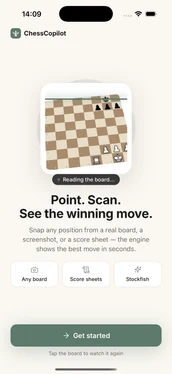
Every screen is built to get you to the answer — no clutter, no jargon.
Serious analysis, pocket-sized
Built on a real engine — not a guess
The same Stockfish that grandmasters use, tuned to run fast and private on your phone.
Good to know
Frequently asked questions
Everything club players ask before their first scan.
What is ChessCopilot?
ChessCopilot is a mobile app for iOS and Android that scans any chessboard or paper score sheet from a photo and gives you instant analysis from the Stockfish engine — the best move, the evaluation, and the lines behind it — right on your phone. It's built for club-level players who want a fast answer without entering a position by hand.
Can it read a real, physical chessboard from a photo?
Yes. ChessCopilot reads physical wooden boards photographed at an angle, on-screen screenshots, and printed diagrams. It auto-corrects the orientation, rebuilds the exact position, and flags any square it's unsure about so you can confirm in one glance.
What does the position scanner output?
For every scanned position you get a FEN string, the best move in standard chess notation, the evaluation in pawns, and the top engine lines. You can copy the FEN to use it anywhere, or tap "Play from here" to explore the position move by move.
Does ChessCopilot work offline?
The Stockfish engine runs 100% on-device, so analysis works without an internet connection. A connection is only used for the initial AI vision step that reads the board or score sheet from your photo.
Can it read handwritten paper score sheets?
Yes. ChessCopilot digitizes both handwritten and printed tournament score sheets. It reads the notation, validates the game, fixes common notation slips automatically, and then reviews every move with the engine to flag your blunders, mistakes, and key turning points.
Which phones does it support?
ChessCopilot is available now on iOS (App Store), with the Android version coming soon to Google Play. No account is required, and your games stay on your phone.
Is ChessCopilot free?
ChessCopilot is free to download and try. An optional subscription unlocks unlimited scans and the full set of features.
Can I export my games to Lichess or Chess.com?
Yes. Any reviewed game can be exported as a PGN file or opened straight in Lichess and Chess.com for deeper study.
Your next best move is one snap away.
Download ChessCopilot and turn every board you see into a lesson.
Free to try · Optional subscription · iOS & Android